Upload accounting and bank files
Import CSV and Excel files, inspect row counts, review detected columns, and keep each reconciliation organized from the first step.
speedRecon helps finance teams upload accounting and bank records, map matching rules, review exceptions, create grouped matches, and complete reconciliations with confidence.
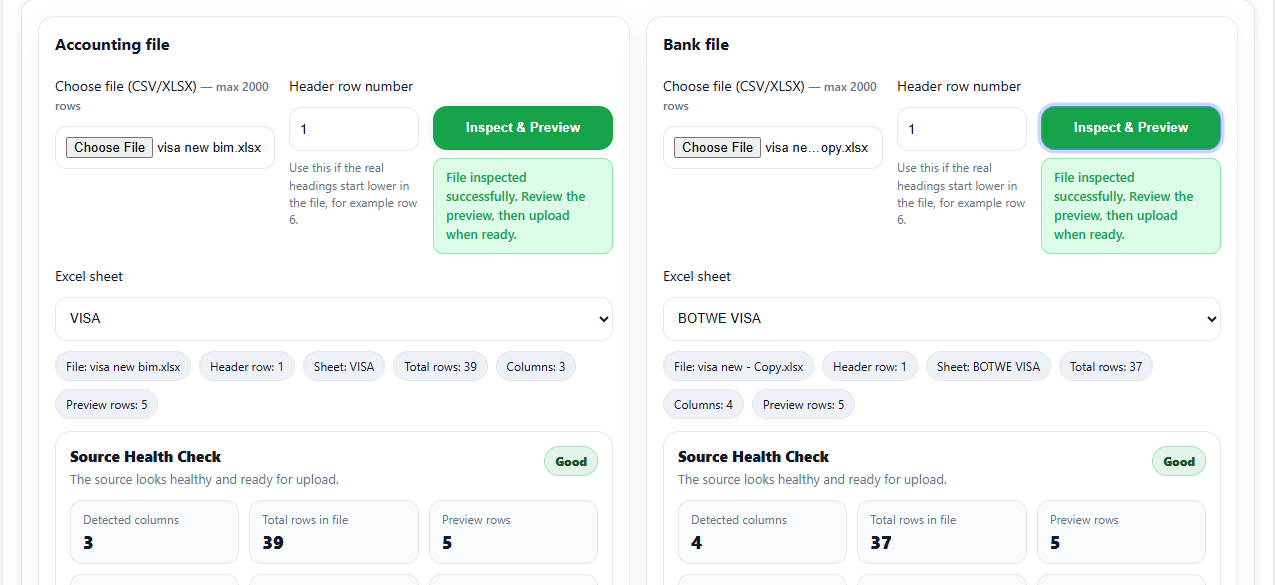
Import accounting and bank files in CSV or Excel format.
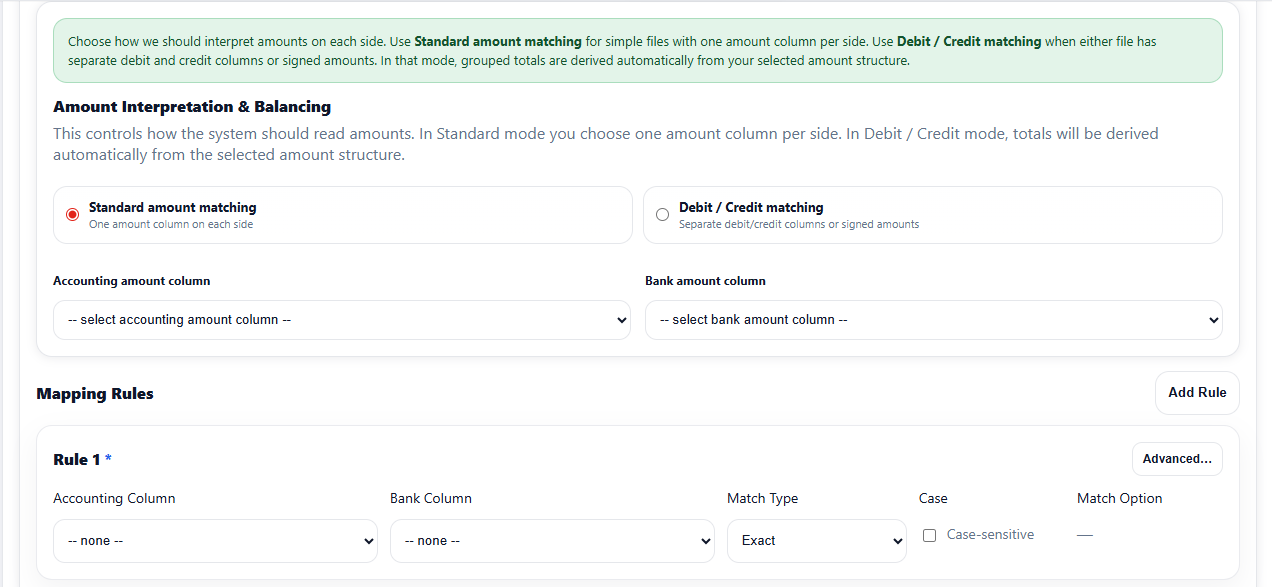
Define matching rules for references, dates, amounts, and tolerances.
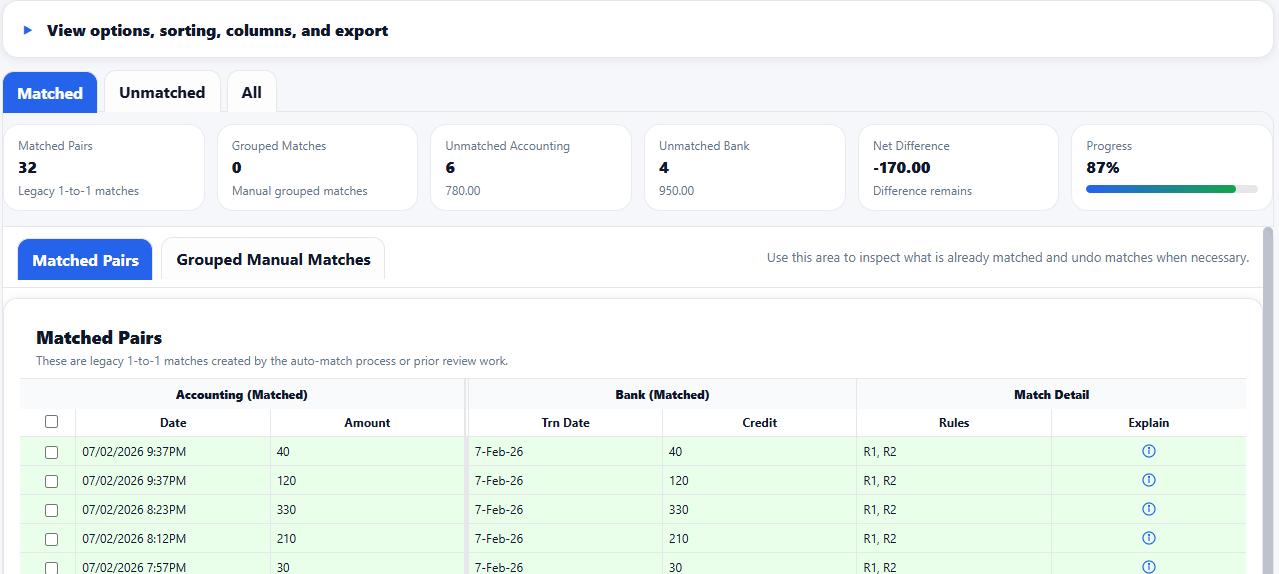
Run auto-match and review matched, grouped, and unmatched rows.
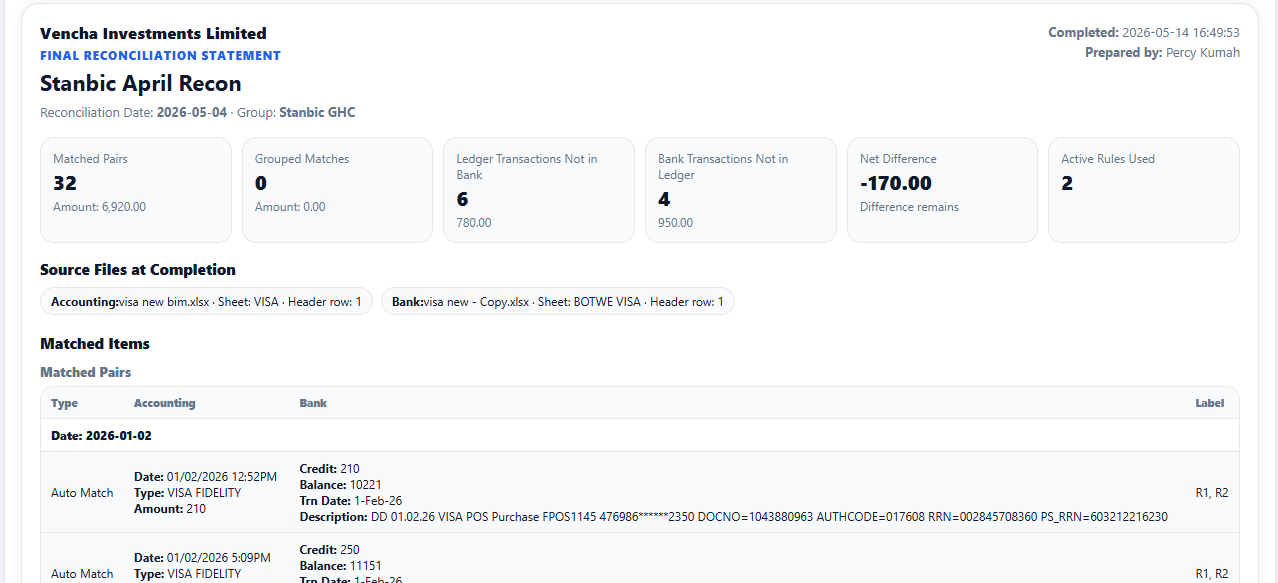
Finalize the reconciliation with a clear statement and audit trail.
speedRecon brings the reconciliation workflow into one clean workspace: upload files, define rules, review exceptions, create manual groups, complete the recon, and keep a clear audit trail.
Import CSV and Excel files, inspect row counts, review detected columns, and keep each reconciliation organized from the first step.
Match by references, dates, amounts, text, tolerance, and multiple rule combinations without forcing your data into one rigid format.
Run the matching engine, then review matched pairs, grouped matches, unmatched accounting rows, and unmatched bank rows in one workspace.
Resolve real-world cases where one accounting row matches many bank rows, or many rows on both sides balance together.
Track key reconciliation activity, completion events, restored rows, manual matches, and reviewer actions for better control.
Complete the process with a clear statement showing matched totals, grouped totals, unmatched balances, and supporting detail.
Start your first reconciliationspeedRecon keeps each step focused, so finance teams can move from raw files to reviewed exceptions and completed reconciliation statements without losing context.
Bring in accounting and bank data, review detected columns, confirm row counts, and catch issues before the matching work begins.
Configure matching rules for references, dates, amounts, tolerances, case sensitivity, and more.
Work through matched pairs, grouped matches, unmatched rows, and manual matching from one report-style workspace.
Finalize the reconciliation with matched totals, grouped totals, unmatched balances, reviewer actions, and an audit timeline.
Choose a plan that fits your current volume. Upgrade when your team, monthly reconciliations, upload sizes, or collaboration needs grow.
For finance teams using speedRecon.
speedRecon is built for teams that need a cleaner reconciliation workflow without losing sight of access control, review history, and practical data handling.
speedRecon is served over HTTPS in production so information sent between the browser and the application is encrypted in transit.
New account registration is protected with email verification so users must confirm access to the email address used during signup.
Two-factor authentication is available on supported plans, helping teams add another layer of protection to account access.
Reconciliations, uploaded files, collaborators, and related records are tied to company workspaces so teams can keep work separated.
Company owners and invited collaborators can be handled differently, supporting controlled access for reconciliation work.
speedRecon keeps useful reconciliation context such as timeline activity, review actions, grouped matches, and final completion records.
Uploaded reconciliation files are managed under plan-based retention rules, helping teams control how long supporting files are kept.
speedRecon is built for practical reconciliation work: uploading records, applying matching rules, reviewing exceptions, and completing reconciliations with useful supporting detail.
speedRecon is bank reconciliation software that helps finance teams compare accounting records against bank records, review unmatched transactions, create grouped matches, and complete reconciliation statements.
Yes. speedRecon is designed around upload-based reconciliation, so teams can import accounting and bank records from Excel or CSV files and then map the relevant columns for matching.
Not at launch. speedRecon currently focuses on upload-based reconciliation using exported bank and accounting records. This keeps the workflow simple, practical, and useful for teams that already work with Excel or CSV exports.
Unmatched transactions are records that do not automatically match between the accounting file and the bank file. speedRecon keeps these visible so your team can review, investigate, restore, or manually group them where needed.
Yes. speedRecon supports grouped manual matches, which are useful when one accounting record needs to be matched against multiple bank records, or when several records need to be reviewed together.
speedRecon keeps useful reconciliation context such as timeline activity, review actions, grouped match details, and completion records so teams can understand what happened during the reconciliation process.
Uploaded reconciliation files are handled under plan-based retention rules. This helps teams manage how long supporting files are kept while still giving them access to the records needed during active reconciliation work.
Yes. speedRecon includes a free plan so you can test the workflow with smaller reconciliations before moving to a paid plan with higher limits and additional team features.

Bring your accounting and bank records into one focused workspace. Upload, map, match, review, and complete your reconciliation with speedRecon.